# What DispatchSEO is
> An SEO manager driven by the AI you already pay for, the Claude app or a coding agent - research, content that ships to your site, and rank tracking, on infrastructure you own.
Source: https://pulseseoapp.com/docs/introduction
All docs in one file: https://pulseseoapp.com/llms-full.txt
DispatchSEO turns the AI you already pay for into the person who handles your
SEO: the ordinary Claude app at claude.ai, or a coding agent (Claude Code,
Codex, Cursor).
Your AI researches keywords and writes the guide. The finished article is
posted straight to your WordPress site, or opened as a pull request against
your repo. DispatchSEO is the backend it works against: the queue of ideas
waiting for your yes or no, the rankings, the Search Console numbers, the
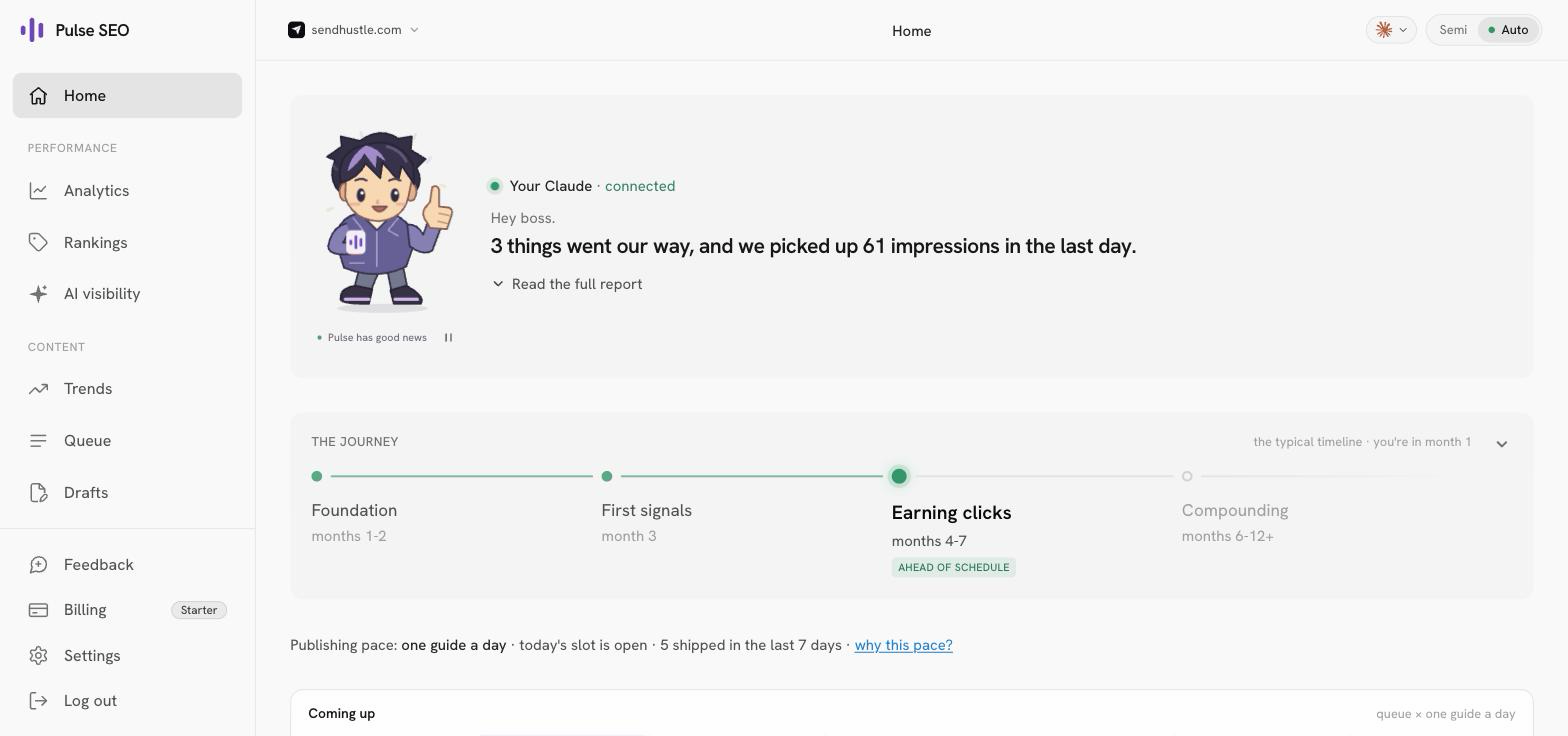
schedules that make it happen without you asking, and the dashboard where you
approve things.
You spend a few minutes a week. It does the rest.
## The part that makes it different
Every other AI SEO tool has the same problem: it doesn't know your product. So
it crawls your homepage, infers what you probably do, and writes from that
guess. You can feel it in the output.
Your agent doesn't have that problem. It has your codebase open. It knows what
you built, who it's for, and which claims are actually true.
So DispatchSEO doesn't try to be a writer. It gives that agent the half it's
missing - real search data, a place to keep state between sessions, schedules
that fire while you sleep, and a human approval gate - and gets out of the way.
The backend is deliberately boring. It stores things, it runs jobs on a timer,
and it asks you before publishing. Every judgement call - which keyword is
worth chasing, what angle to take, whether a draft is any good - happens in
your agent, where your product knowledge already lives.
## The loop
Once a week it mines your Search Console data, Google Autocomplete, and
what it already knows about your product. Each idea lands in a queue with
the reasoning attached: the keyword, why it looks winnable, the angle.
Each idea is a card on the dashboard. Approve, reject, or drag it up the
queue. Or turn on automatic mode and skip this step entirely.
Every morning, one approved idea becomes a real PR against your repo -
checked against the live search results first, and run through a sameness
reviewer so your twelfth guide doesn't read like your third.
Daily rank checks, hourly Search Console snapshots, index verification.
When a scheduled job breaks, you get a red banner and an email rather
than silence.
## Who this is for
You'll get value out of this if:
- **You have somewhere we can publish.** Either a WordPress site you host
yourself, where finished articles are posted straight to it, or your site's
source in a Git repo, where they arrive as pull requests you review.
- **You already have an AI.** The ordinary Claude app at claude.ai on a paid
plan, or a coding agent: Claude Code (on the plan you have),
[Codex](/docs/install-codex) (metered on an OpenAI key), or
[Cursor](/docs/install-cursor) (on your Cursor plan). Your AI is the engine,
and DispatchSEO never bills you for its usage.
- **You'd rather own the thing than rent it.** One Docker command, your
machine, your data, AGPL-3.0.
## Who this is not for
Being honest saves you an install:
- **Wix, Squarespace, Shopify, Webflow, Framer, or Ghost.** There's no repo to open a
pull request against and no way in through their own APIs either. This will
not work, and there's no workaround planned. (WordPress you host yourself
does work - see above.)
- **Anyone whose only AI is ChatGPT or Gemini.** ChatGPT can't connect to us
yet, and the Gemini app has no way to connect an outside tool at all. The
Claude app, Claude Code, Codex and Cursor all work today.
- **Anyone wanting content published without review.** You can turn that on -
but the whole design assumes a human who occasionally says no.
- **Anyone expecting results in two weeks.** SEO doesn't work that way, and the
product tells you so on the dashboard rather than pretending otherwise.
## What it costs
Nothing, unless you want paid data. The tiers stack:
| Tier | Price | What you get |
| --- | --- | --- |
| Search Console only | **$0** | Rankings from GSC, keyword ideas from Autocomplete and your own impression data |
| + SerpApi free key | **$0** | Live search-result checks, real positions weekly (250 free lookups a month) |
| + DataForSEO | pay per call | Search volume, keyword difficulty, domain rating |
Free mode finds keywords you can win. Paid mode also knows which ones are
worth winning. See [Keyword data sources](/docs/keyword-data) for the detail.
## Where to go next
Pick an install path and get it running.
The moving parts, in plain English.
Two ways to run it. What actually differs.
Every page here is available as plain markdown - add `.md` to any docs URL.
The whole documentation set in one file lives at
[/llms-full.txt](https://pulseseoapp.com/llms-full.txt), and there's an index
at [/llms.txt](https://pulseseoapp.com/llms.txt).